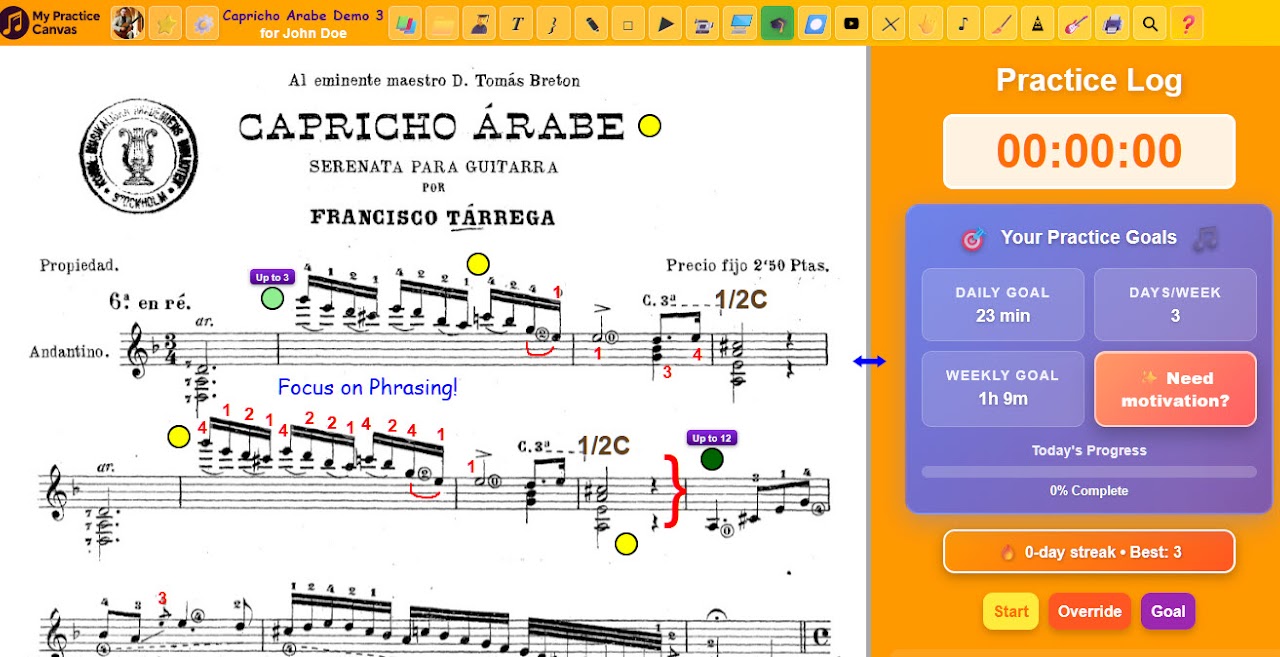
All your sheet music, fingerings, annotations, looped videos, and practice tracking—organized in one place. If you teach, leave short video feedback and practice loops directly on the score during live lessons or asynchronously. Free to start. No app to install.
Already have an account or were invited by a teacher?
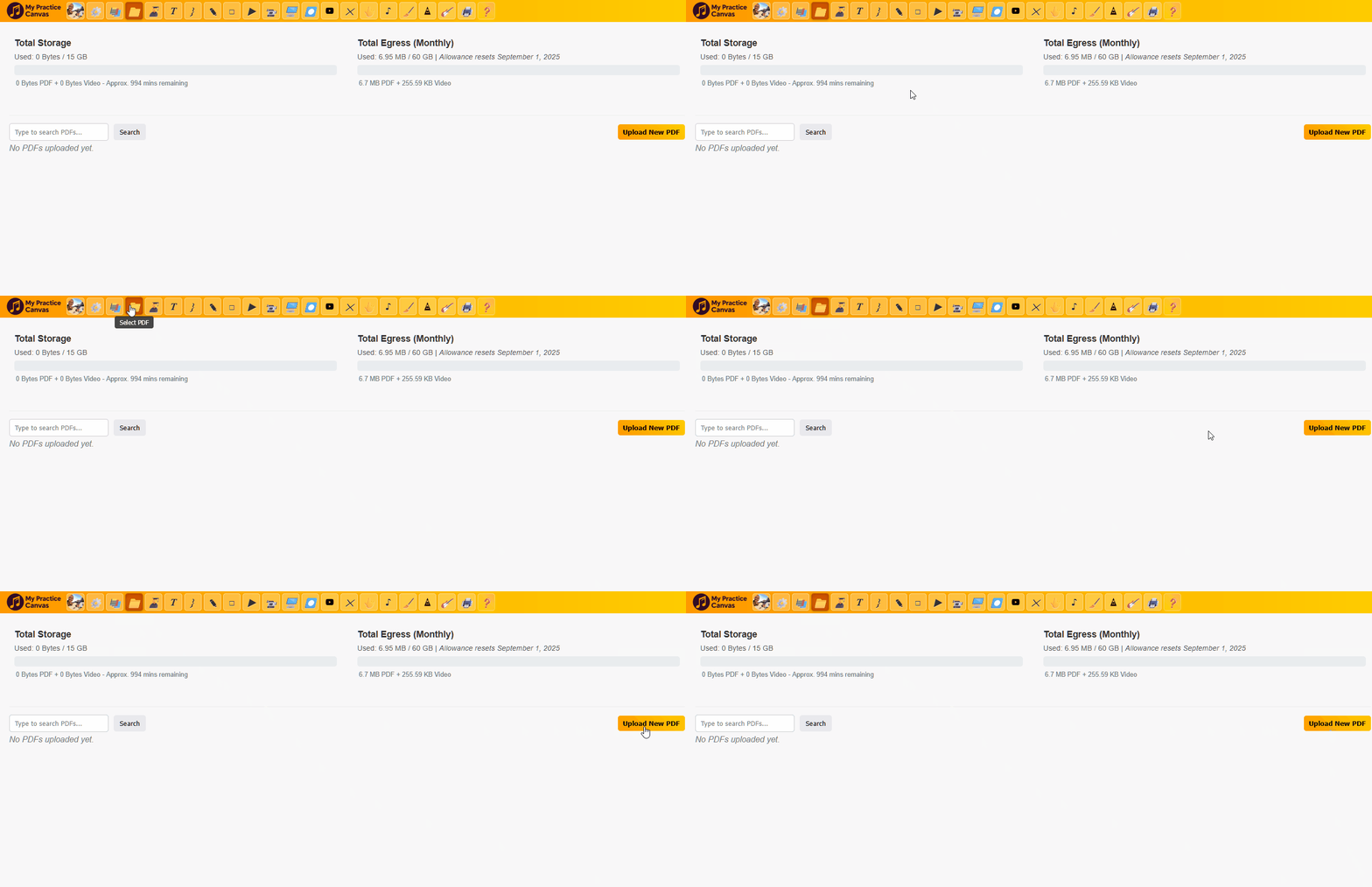
Add any PDF score, tab, lead sheet, or exercise. Your practice space is ready in seconds.
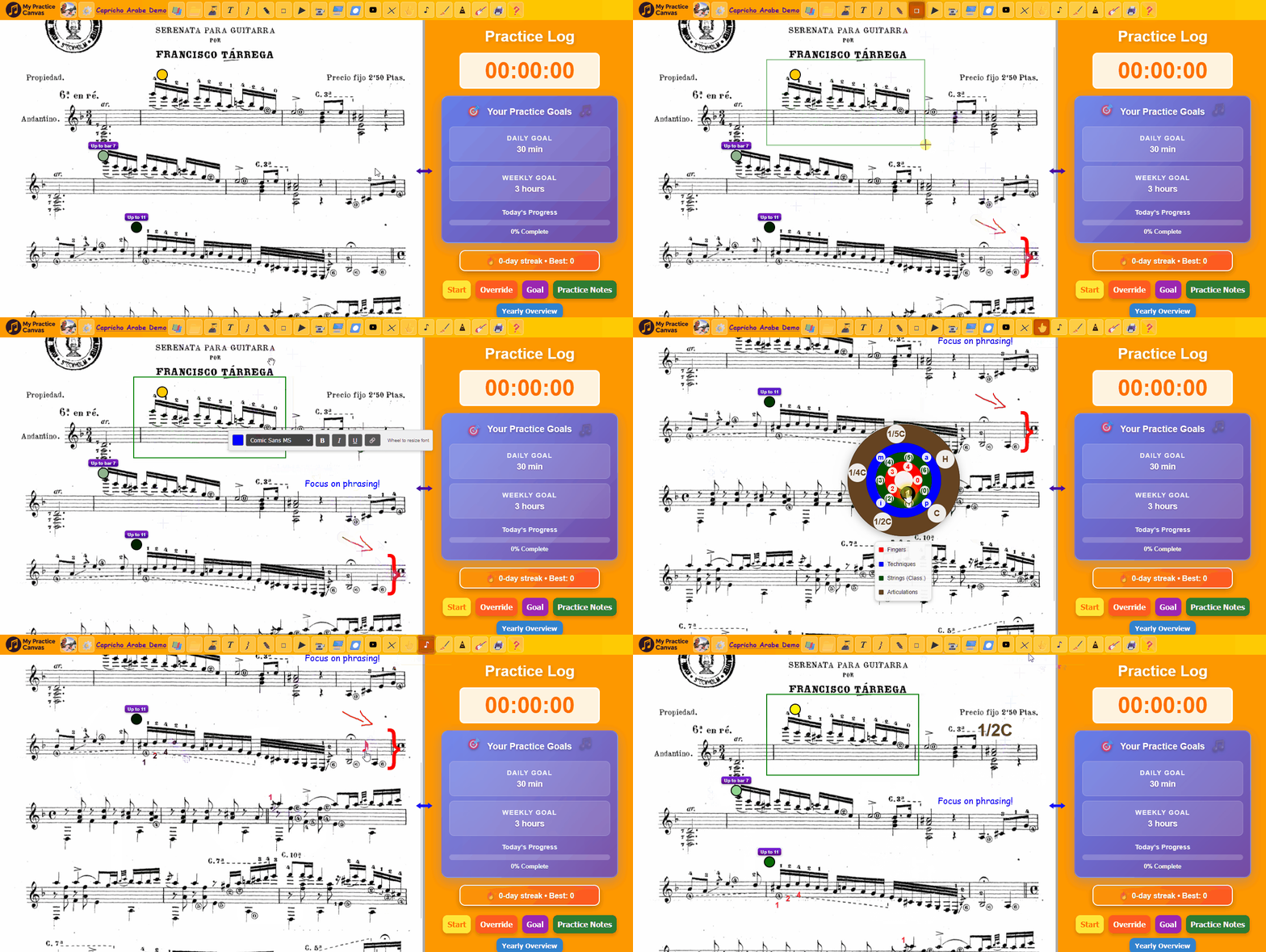
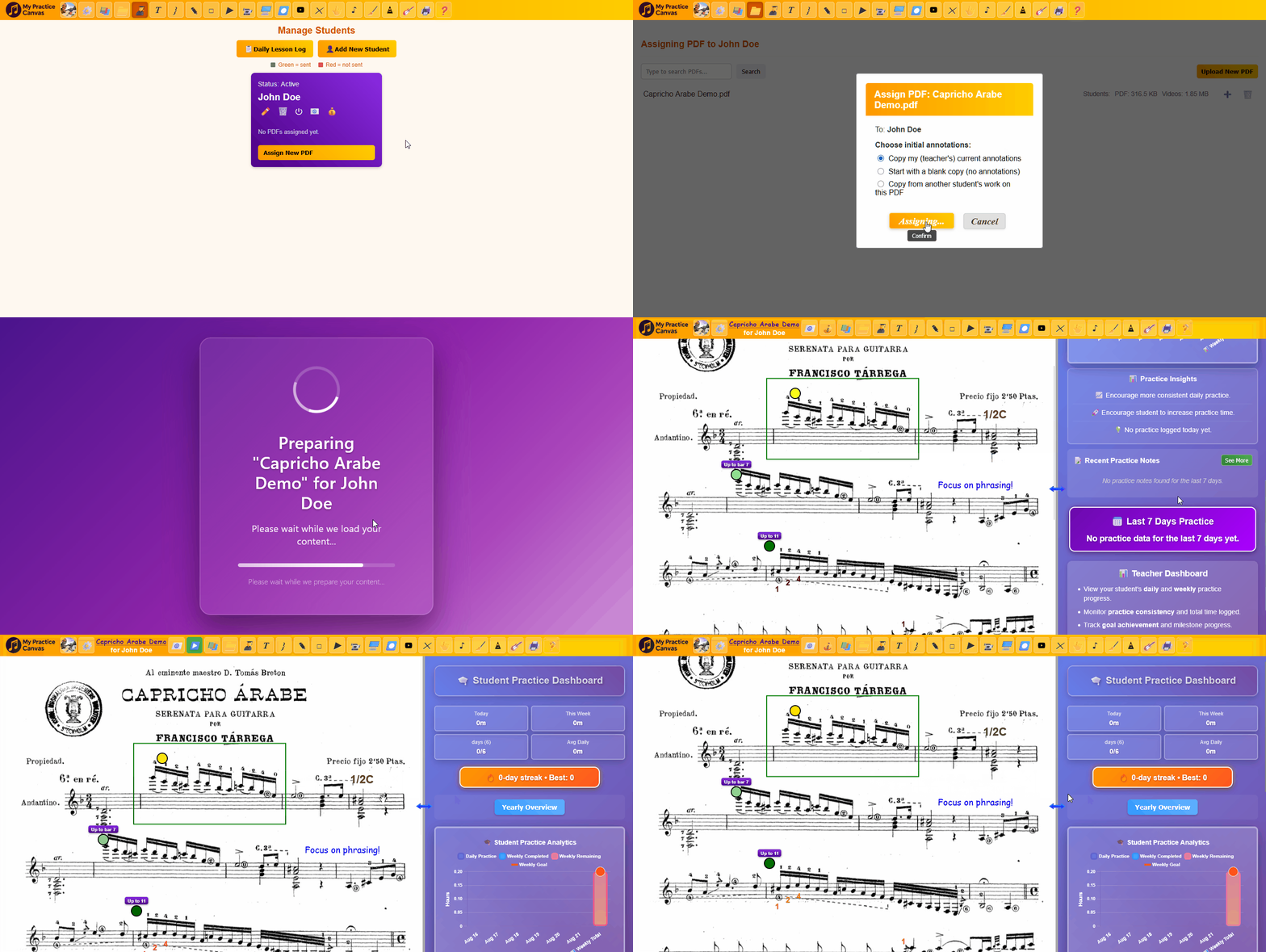
Add fingerings, bowings, dynamics, symbols, text notes, and visual cues exactly where you need them. Fingerings are especially fast: click and hold anywhere on the score, drag to a printed finger number already on the page, then release to drop that fingering in place. Resize it instantly with the mouse wheel. No typing. No digging through slow menus.
Paste a YouTube performance and place it beside your score, so you can hear, compare, and learn in context.
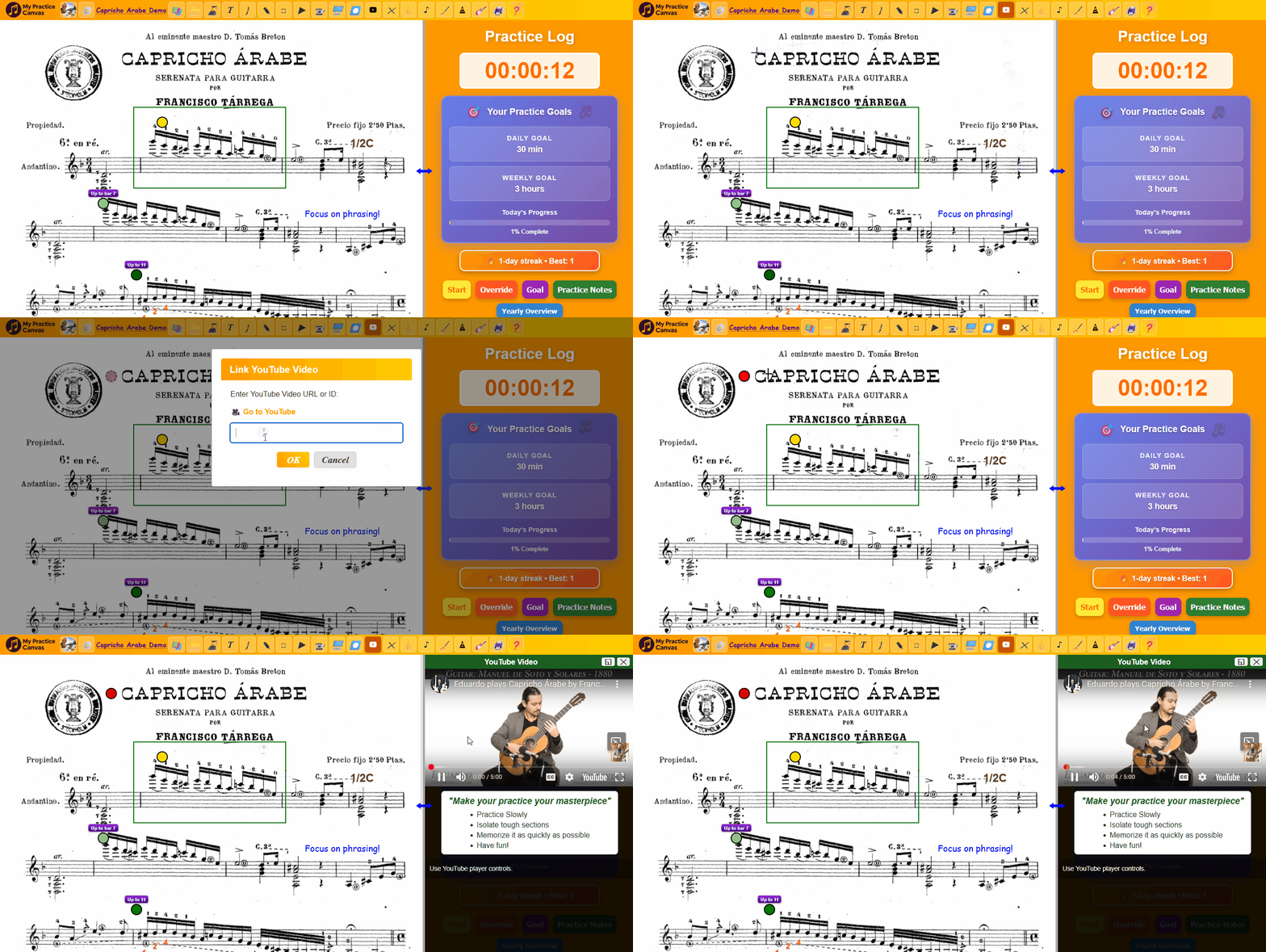
Create precise loops, slow them down, and use Auto-Speed to build control gradually instead of forcing tempo too soon.
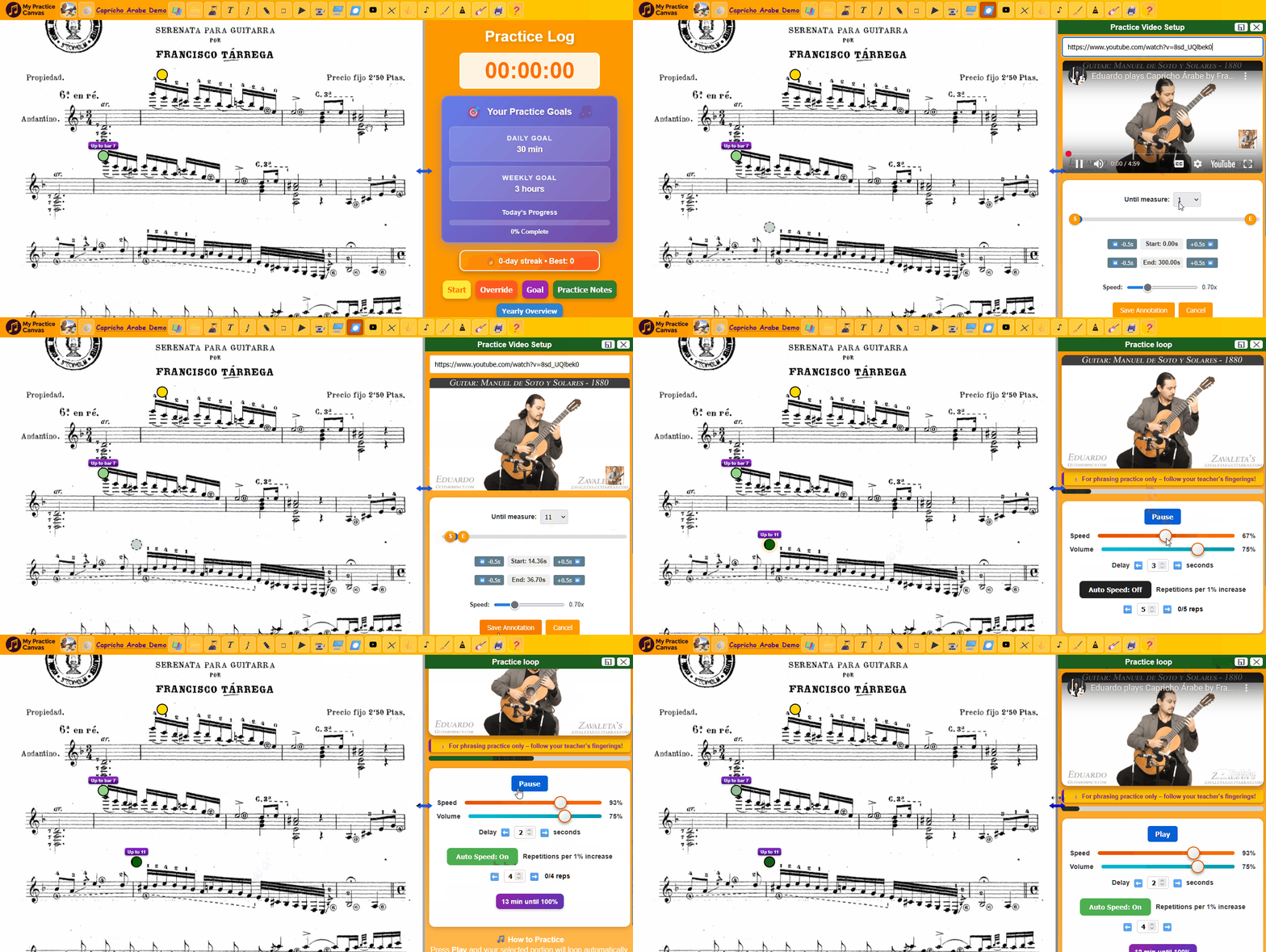
Use the built-in timer and stats dashboard to see your sessions, streaks, total time, and long-term progress.
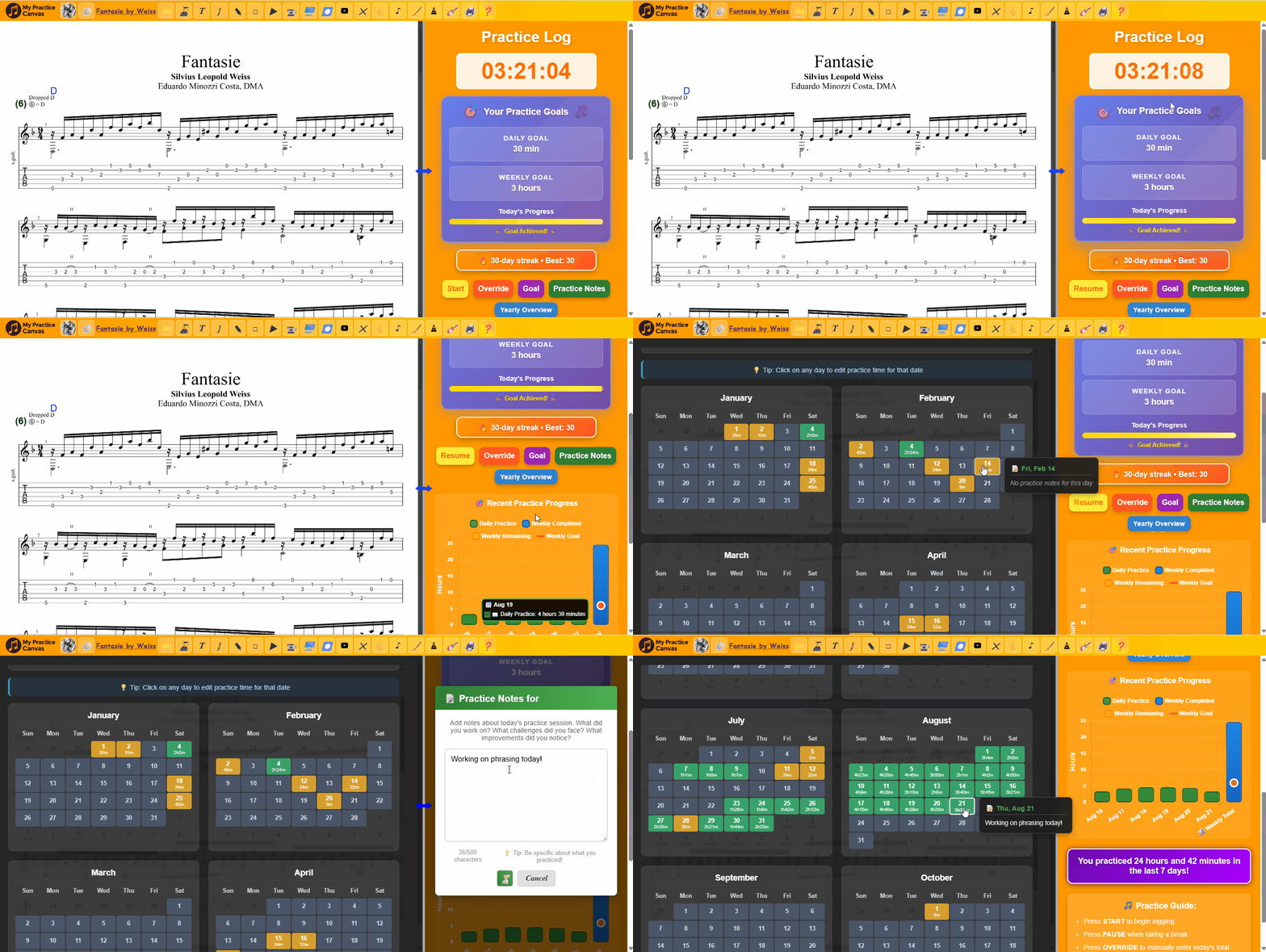
Choose Asynchronous, Live, or Hybrid for each student, so your studio can support video feedback, regular Zoom or Google Meet lessons, or both.
Students submit practice videos and receive teacher feedback directly on the score. Live-room tools stay hidden for this student.
Best for teachers who want a professional, accountable async studio with clear weekly rhythms.
Use your regular Zoom, Google Meet, or other meeting link while Practice Canvas becomes the lesson workspace.
Best for teachers who teach live and want a clean shared workspace for lessons.
Combine a live teaching room with asynchronous video submissions between sessions.
Best for teachers who want live connection and asynchronous accountability in one system.
Every teacher plan includes the full practice toolkit plus lesson delivery, student management, and video feedback. Your students access assigned lessons at no extra cost.
Tap anywhere on the score and leave a short video explanation exactly where the student needs it—during a live lesson or asynchronously between sessions.
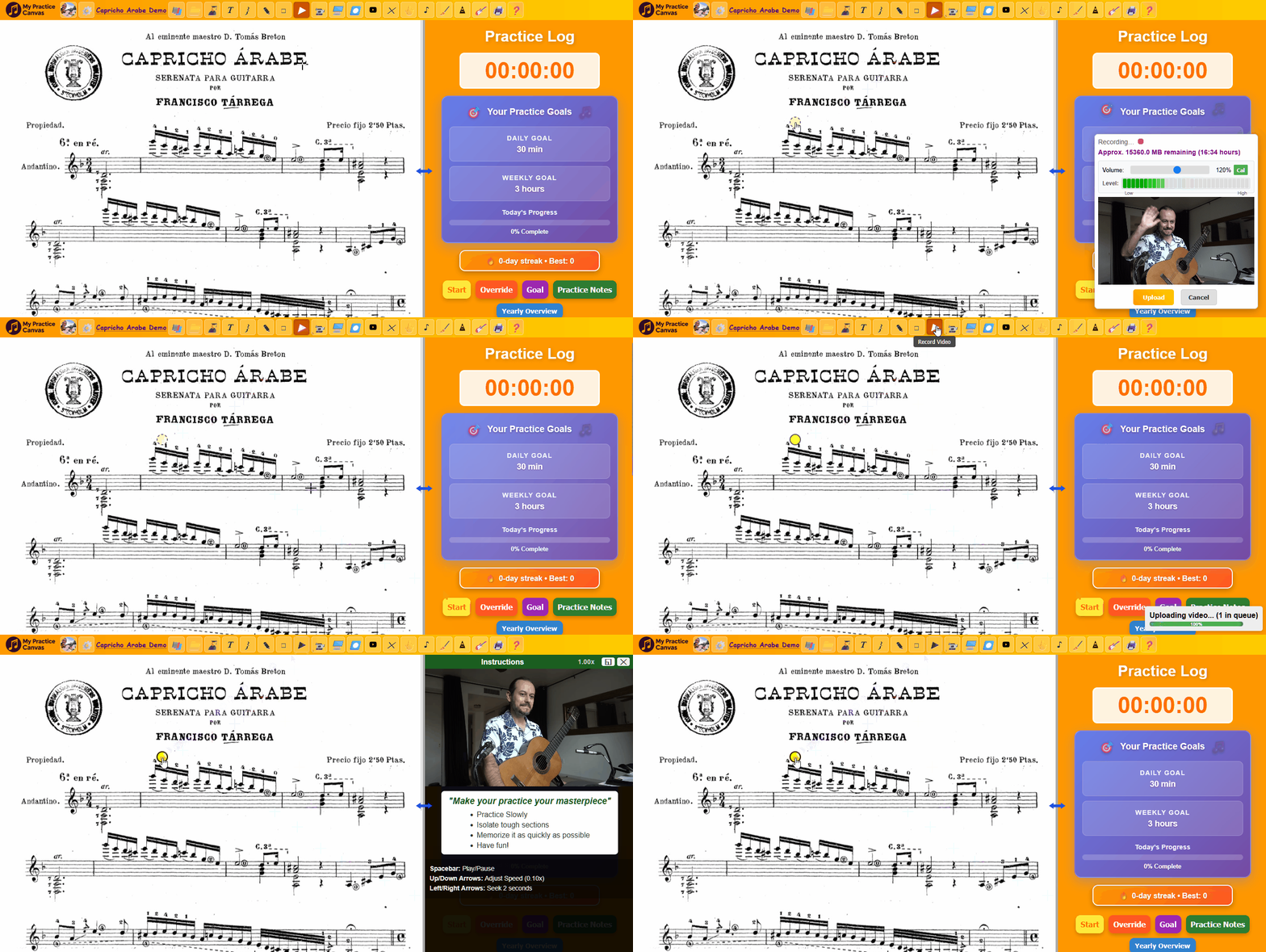
Show the passage once, save it inside the lesson, and let students replay it as many times as they need.
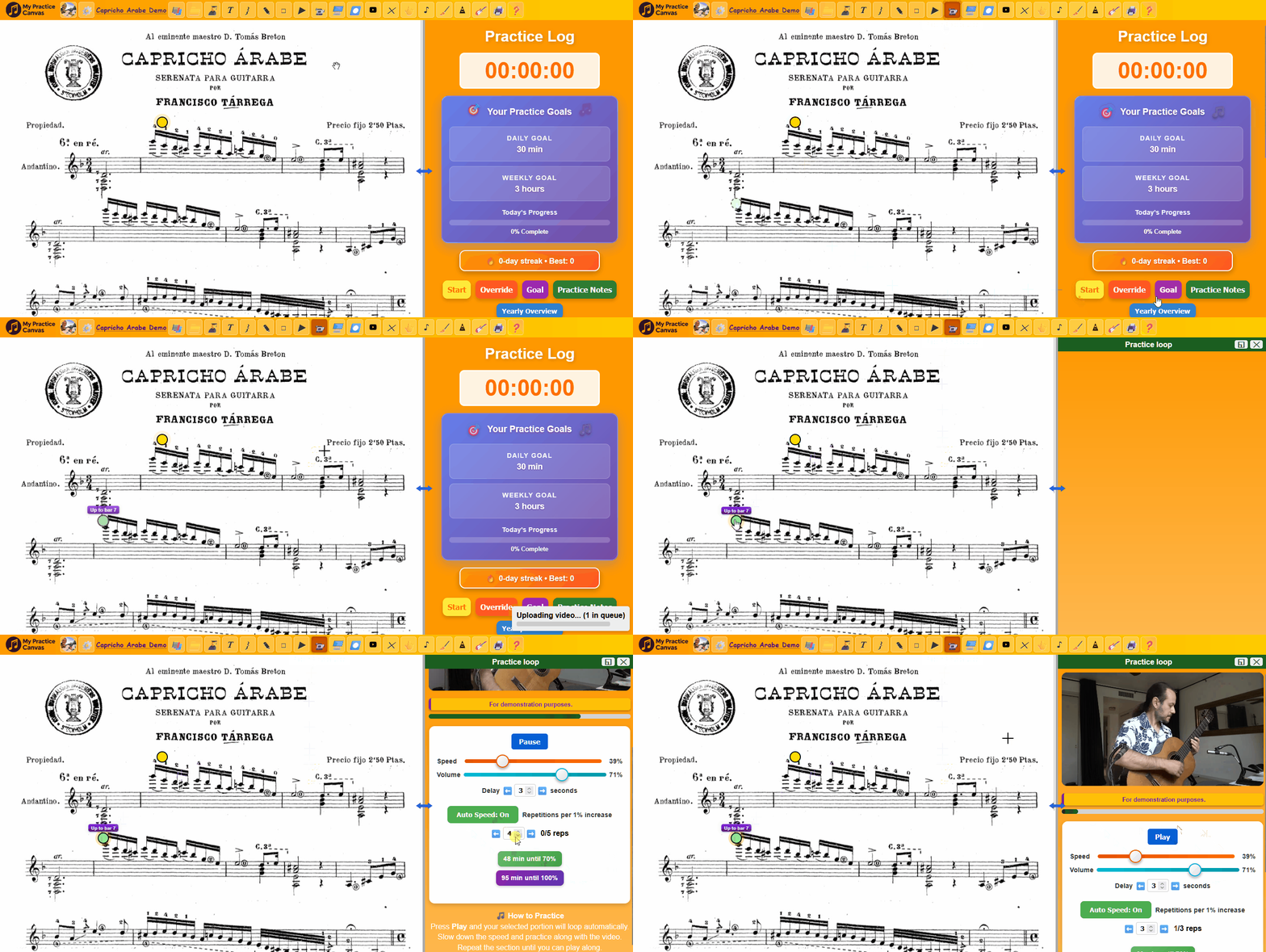
Turn great performances into loopable study material your students can slow down, repeat, and absorb.
Mark fingerings, rhythm reminders, phrasing, articulation, and text notes directly on the PDF.
Send the score, annotations, videos, and loops together as one lesson instead of piecing it together manually.
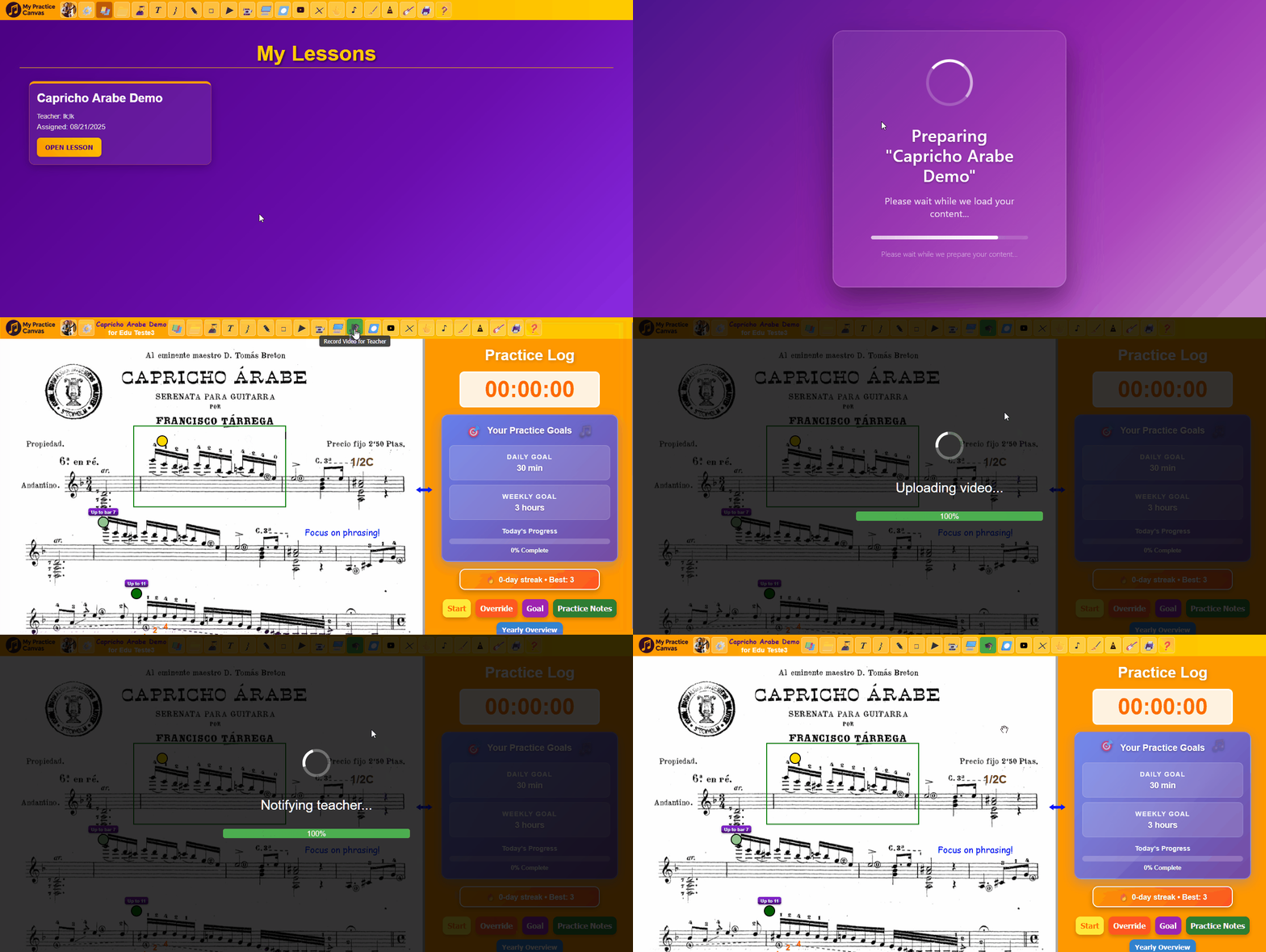
Students can record their practice and send it back inside the lesson, so feedback stays connected to the assignment.
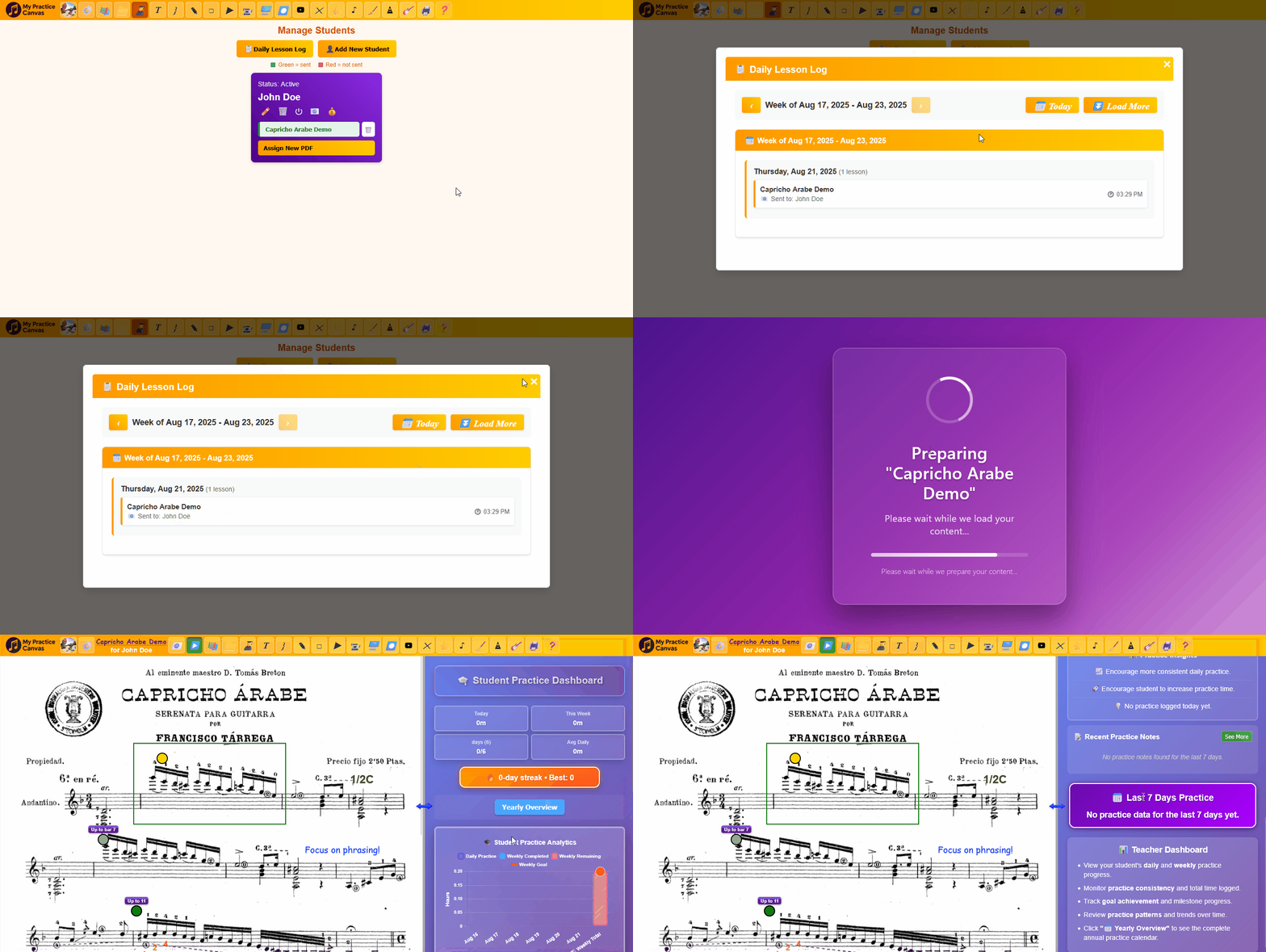
Watch submissions, check practice activity, and prepare the next lesson without hunting through messages and attachments.
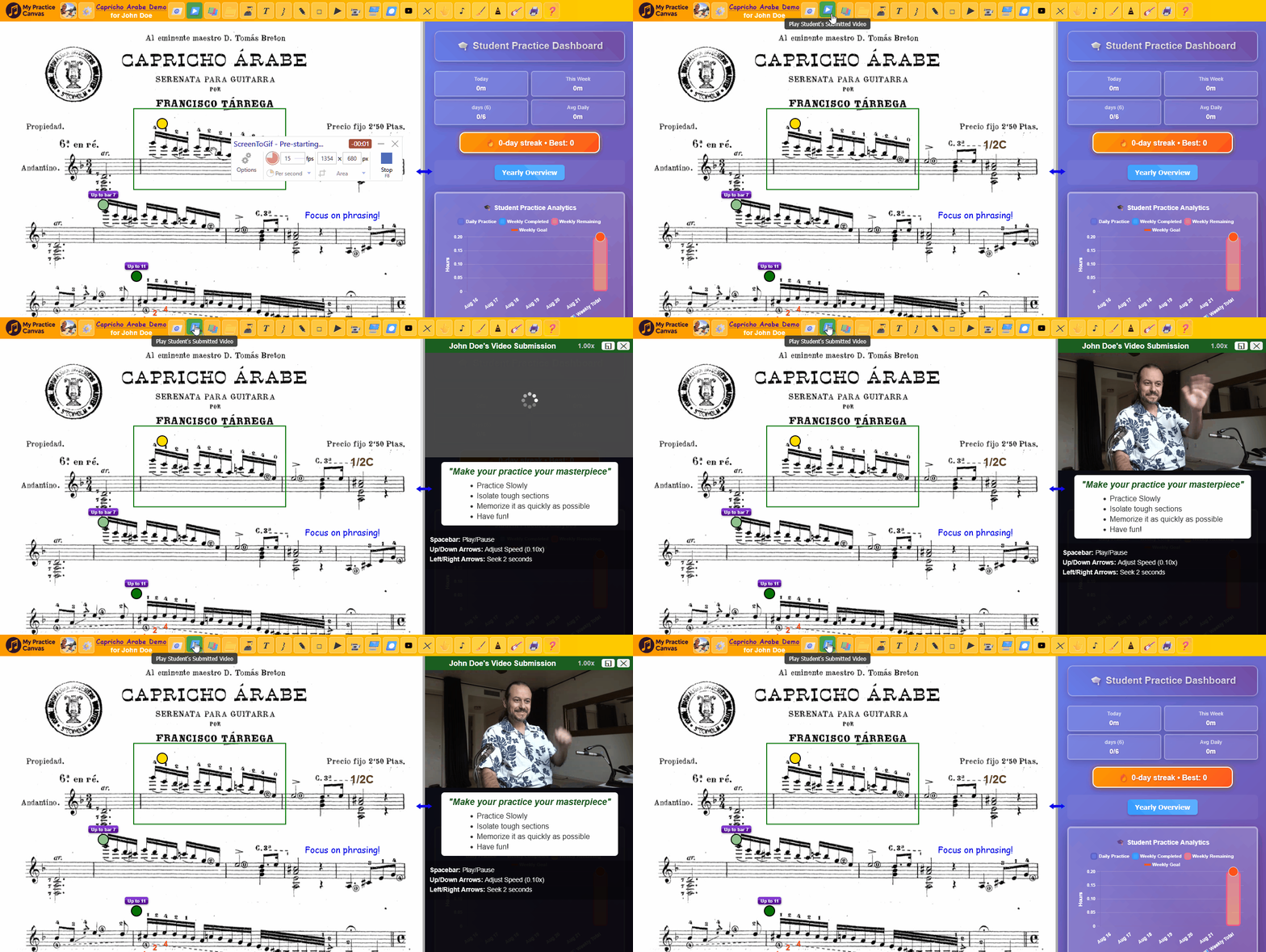
See who practiced, who submitted, and who needs follow-up before the next lesson begins.
Start free if you are practicing on your own. Upgrade when you want a full personal library or teacher tools. Every teacher plan includes student access for assigned lessons at no extra cost.
No credit card required.
Best for trying the platform and practicing with a small starter setup.
Start with a FREE 14-day trial.
Best for individual musicians who want a full personal practice system.
Start with a FREE 14-day trial.
Best for solo teachers with a smaller active roster.
Start with a FREE 14-day trial.
Best for growing studios that need more student capacity and room to scale.
Start with a FREE 14-day trial.
Best for larger studios that want maximum capacity and flexibility.
| Feature | Free Practice | Practice Studio$5.99/mo | Teacher Studio$19.99/mo | Teacher Plus$39.99/mo | Teacher Pro$69.99/mo |
|---|---|---|---|---|---|
| Trial | No card needed | FREE 14-day trial | FREE 14-day trial | FREE 14-day trial | FREE 14-day trial |
| Capacity | |||||
| PDF library | 1 PDF / 10 pages | Full personal library | Teacher library + studio materials | Expanded studio library | Largest studio capacity |
| Students | - | - | Up to 15 | Up to 40 | Unlimited |
| Core Tools | |||||
| Annotations | ✓ | ✓ | ✓ | ✓ | ✓ |
| YouTube loops | ✓ | ✓ | ✓ | ✓ | ✓ |
| Practice log | ✓ | ✓ | ✓ | ✓ | ✓ |
| Cloud sync | ✓ | ✓ | ✓ | ✓ | ✓ |
| Teacher Tools | |||||
| Video feedback | - | - | ✓ | ✓ | ✓ |
| Lesson assignment | - | - | ✓ | ✓ | ✓ |
| Student submissions | - | - | ✓ | ✓ | ✓ |
| Progress tracking | - | - | ✓ | ✓ | ✓ |
It is meant to be your all-in-one practice space. Your sheet music, fingerings, annotations, looped videos, and lesson guidance all stay in one place instead of being scattered across books, loose pages, and separate apps. That makes practice more efficient and far less messy: you can move from one piece to another quickly, reopen a piece right where you left off, and keep your practice flow intact. It can be especially useful if you connect your computer to a TV so everything appears large and easy to see. A screen around 30 inches works especially well, but it is not required. It also works well on a regular laptop screen. On top of that, the built-in practice tracking helps you measure your work and stay motivated over time.
No. In teacher plans, students can access assigned lessons, feedback videos, and practice materials at no extra cost. The teacher pays for the studio tools.
It can, but it does not have to. Teachers can choose Asynchronous video feedback, a Live Teaching Room that works with regular Zoom or Google Meet links, or Hybrid mode for both live lessons and between-session submissions.
Everything stays attached to the score. Instead of scattering lesson material across text messages, email, and separate video apps, the student opens one lesson and sees the annotations, loops, videos, and instructions in context.
It is designed to reduce repeated work, not add to it. Teachers can annotate during the lesson, record short score-based reminders in context, reuse strong materials, and send everything together instead of rebuilding the same instructions every week.
Very fast. You can add annotations directly where they belong, and fingerings are especially quick: click and hold on the score, drag to a printed finger number already on the page, release to place it, and resize it with the mouse wheel. No typing and no slow menu workflow. Video feedback is also extremely fast: click a specific measure, the camera starts recording immediately, then click again to upload. In practice, that means a teacher can leave a useful video right on the score in just two clicks.
Yes. Free Practice gives you a no-credit-card entry point, and every paid plan starts with a free 14-day trial so you can test the workflow before committing.
Yes. Click the profile icon, open Manage Membership, and from there you can upgrade, downgrade, switch between monthly and annual billing, or choose Cancel Membership. If you cancel, the cancellation takes effect immediately. That gives you room to start small, test the workflow, and move to the plan that fits your practice or studio as it grows.
Watch your video below, then click the yellow button to send it.
⚠️ Warning: Uploading will replace any previous video you sent for this lesson!